
Noel Llopis of Snappy Touch, the author of the Flower Garden iPhone app, wrote a very revealing blog post recently where he examined the sales of Flower Garden in depth.
Noel details sales his sales and profits from the app, and talks in detail about different strategies he tried, including creating a free version of the app, a Mother's Day give away contest, creating the App Treasures affiliate group, adding Facebook integration, and adding In App Purchase to Flower Garder.
Monday, January 18, 2010
Friday, January 15, 2010
iPhone Friday - January 15, 2010
Hello and happy Friday! It's been a busy week here for use at Able Pear and we will have some more exciting news in the next week or so to share with you. But in the mean time...
It's been rather wet here in the Bay Area (of California), but not as bad as other places. To which I am offering this set of iPhone and iPod touch wallpapers based on the theme Singing In The Rain. Enjoy.


And here is a special bonus set:


It's been rather wet here in the Bay Area (of California), but not as bad as other places. To which I am offering this set of iPhone and iPod touch wallpapers based on the theme Singing In The Rain. Enjoy.


And here is a special bonus set:


Thursday, January 14, 2010
Creating easy-to-read links to the App Store for your applications and company
Apple has published a Technical Q&A detailing how to form human friendly iTunes links for iPhone apps. By default, if you use the "Copy Link" menu option in the App Store, you'll find a URL like
You links to your app using your company name and app name, such as
The Q&A has more info on allowed characters and what happens when apps share similar names (like
http://itunes.apple.com/us/app/animals/id308930648?mt=8 on your clipboard. It's not too bad, but Apple also allows some friendlier URL formats.You links to your app using your company name and app name, such as
http://itunes.com/apps/ablepearsoftware/orchardscraps, as well as direct app links like http://itunes.com/apps/orchardscraps. Links to the "artist" page for your company are similar: http://itunes.com/apps/ablepearsoftware.The Q&A has more info on allowed characters and what happens when apps share similar names (like
http://itunes.com/apps/animals).
Monday, January 11, 2010
Getting excited about the Apple tablet
The buzz over the forthcoming Apple tablet has been steadily building in recent weeks. Apple is definitely going to announce something new.
John Paczkowski of AllThingsD writes about Apple's upcoming media event in San Francisco on Wednesday 27 January. At this point, pretty much everyone in the tech press and blog world is certain that the announcement will be a tablet device. TUAW sums up the latest rumors and even has some in-depth speculation about issues facing developers as they migrate iPhone apps to the new tablet.
John Gruber of Daring Fireball has chimed in with his well developed thoughts as well (including a follow-up).
As an interesting aside, take a look at the leaked concept video for the Microsoft tablet device code-named Courier. While the concept interaction that's presented obviously draws heavily on the iPhone, it's still interesting and makes me hopeful that Apple's considerable design talents might produce a really compelling new machine.
John Paczkowski of AllThingsD writes about Apple's upcoming media event in San Francisco on Wednesday 27 January. At this point, pretty much everyone in the tech press and blog world is certain that the announcement will be a tablet device. TUAW sums up the latest rumors and even has some in-depth speculation about issues facing developers as they migrate iPhone apps to the new tablet.
John Gruber of Daring Fireball has chimed in with his well developed thoughts as well (including a follow-up).
As an interesting aside, take a look at the leaked concept video for the Microsoft tablet device code-named Courier. While the concept interaction that's presented obviously draws heavily on the iPhone, it's still interesting and makes me hopeful that Apple's considerable design talents might produce a really compelling new machine.
Friday, January 8, 2010
iPhone Friday - January 8, 2010
Hey there, happy Friday and a Happy New Year's wishes to you all!
It's been a very exciting past couple of weeks for us here and not just because of the holidays. We announced two new iPhone/iPod touch apps; People? and Places? now available on the App Store. As it was a busy few weeks I did not get a chance to post the iPhone Friday and apologize. Here is one of the Holiday Series that did not get posted.

Also, there's more news! But, I can't tell you yet. Sorry. I can however share with you some of the artwork we're developing for the game - as wallpapers. Enjoy!


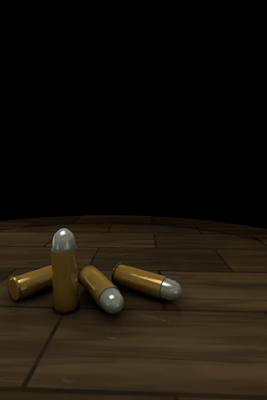
It's been a very exciting past couple of weeks for us here and not just because of the holidays. We announced two new iPhone/iPod touch apps; People? and Places? now available on the App Store. As it was a busy few weeks I did not get a chance to post the iPhone Friday and apologize. Here is one of the Holiday Series that did not get posted.

Also, there's more news! But, I can't tell you yet. Sorry. I can however share with you some of the artwork we're developing for the game - as wallpapers. Enjoy!


Thursday, January 7, 2010
Announcing Places?
 Able Pear is happy to announce that our latest application, Places?, is now available in the iTunes App Store.
Places? is a game of questions and answers. Think of a place and Places? tries to guess it.
Answer simple yes/no questions like "Is it a country?" or "Is it in Europe?" When Places? thinks it knows the answer it will guess the place: "Is it France?"
When Places? makes a wrong guess you can teach it the new place and add a new question to ask.
Places? is great game for anyone age 8 and up who loves geography.
Learn more about Places?...
Click here to see our complete list of apps.
Tuesday, January 5, 2010
Objective-C Tuesdays: extern and global variables
See Also
Variables in Objective-C
Welcome back and happy new year! Last time we looked at global variables and their initialization. Today we'll look at how to share global variables between Variables in Objective-C
.c and .m code files.Frequently, you define a global variable in one code file and use it in another. For instance, the file
MyView.m might contain the global variable doubleTapEnabled:// MyView.m #include <Foundation/Foundation.h> // ... BOOL doubleTapEnabled = YES; // ...To use this variable in
main.m you might do this:// main.m
#include <Foundation/Foundation.h>
BOOL doubleTapEnabled;
int main(void) {
// ...
NSLog(@"doubleTapEnabled = %i", doubleTapEnabled);
// ...
}
This will work the way you expect, but there's a subtle potential gotcha here. Notice that in MyView.m we initialize doubleTapEnabled to YES. When the compiler sees that, it interprets that statement as a global variable definition and allocates space for the doubleTapEnabled variable and sets its initial value. However, in
main.m we don't give doubleTapEnabled an initial value, which makes that statement ambiguous: it could be a global variable declaration for doubleTapEnabled or a definition, with doubleTapEnabled initialized to zero (NO).The difference between a declaration and a definition can be confusing since they're closely related (and the two words are unfortunately very similar). A declaration tells the compiler that a global variable, struct, class or function exists somewhere. A definition gives the compiler all the information it needs to generate the code for a global variable, struct, class or function.
A statement like
BOOL doubleTapEnabled;can be either a declaration or a definition. At link time, if an unambiguous definition isn't found, the global variable will be created and initialized to zero; if an unambiguous definition is found, that definition will be used to create the global variable.
So if you do something like this:
// ERROR: won't link

// MyView.m
// ...
BOOL doubleTapEnabled = YES; // unambiguous definition
// ...

// main.m
// ...
BOOL doubleTapEnabled = YES; // unambiguous definition
// ...
You will get a linker error like "duplicate symbol _doubleTapEnabled" because you told the compiler to create the same global variable in two different places.
This is where the
extern keyword comes in. You use extern with global variables to create unambiguous declarations. In addition to helping the compiler, it also clues in anyone reading the code that the global variable is defined (and possibly initialized) elsewhere, but you're simply using it here. So we can rewrite our example like this:// MyView.m // ... BOOL doubleTapEnabled = YES; // unambiguous definition // ... // main.m // ... extern BOOL doubleTapEnabled; // defined in MyView.m // ...And now
doubleTapEnabled is happily unambiguous everywhere.It's common style to add
extern to all global variable declarations in your header (.h) files and provide a corresponding definition in a source (.m or .c) file. So the header file MyView.h would look like:// MyView.h // ... extern BOOL doubleTapEnabled; // ...The source file
MyView.m is the same:// MyView.m // ... BOOL doubleTapEnabled = YES; // unambiguous definition // ...And
main.m now looks like:// main.m // ... #include "MyView.h" // ...Next time, we'll look at using the
static keyword to make to make a global variable "private" to a source file.
Subscribe to:
Posts (Atom)





 Posts
Posts

